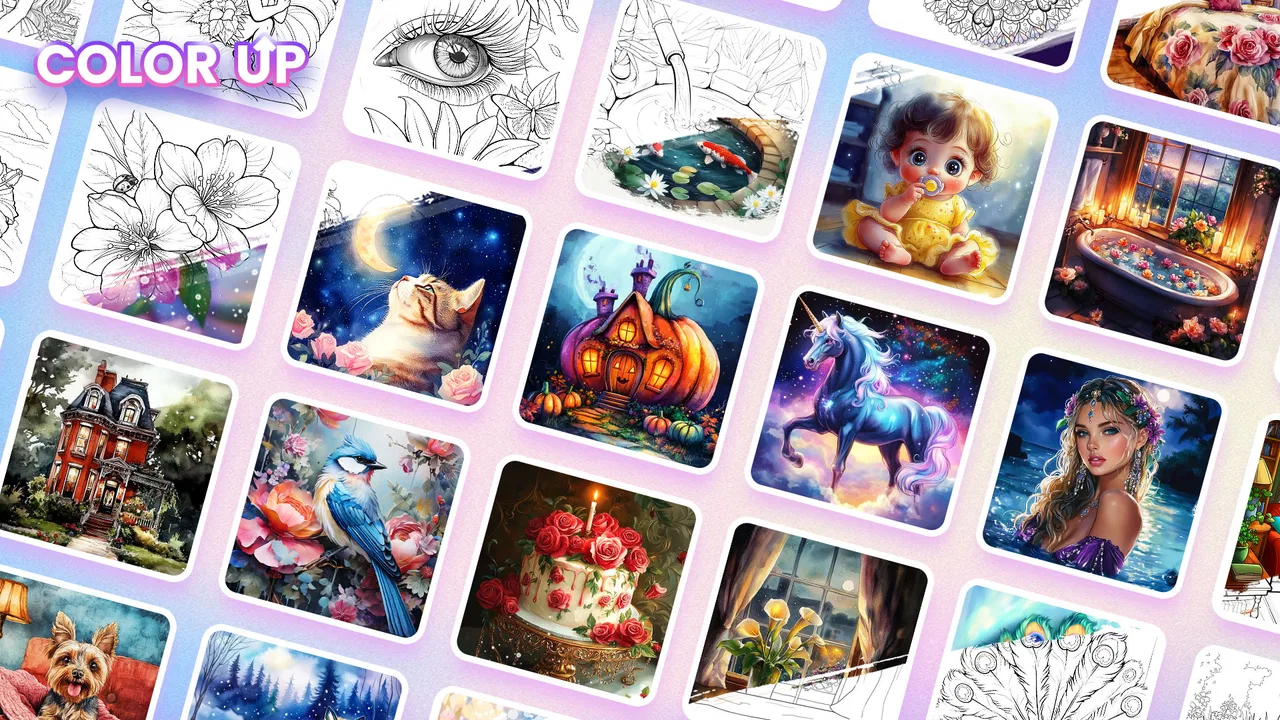
Color Up - Color By Number
- 4.8
- Rating
- 5.00M
- Installs
- Free
- Price

 Analysis by App-foxy
I opened Color Up - Color By Number expecting a small, low-pressure board game, and that is exactly where it works best. It is built around tapping numbered areas to complete pictures, so there is no complicated rulebook, timer to memorize, or competitive match waiting for you. The appeal is the steady rhythm: identify the active color, tap the matching spaces, and watch an unfinished image gradually become complete.
That simplicity makes it easy to recommend for a short break, especially when I want something more engaging than scrolling but less demanding than a strategy game. It is a free title from Nuclear Game, rated for Everyone, and it belongs to the board-game side of mobile gaming rather than the puzzle category that expects elaborate problem solving. Its average rating is 4.9 from around 91 thousand ratings, while more than 5 million installations suggest that the straightforward format has found a large audience.
What the first session feels like
The first thing to understand is that this is not a traditional board game with turns, opponents, or a physical board to manage. The board is the picture itself. Each section is associated with a number, and your job is to fill the matching sections by tapping them. That makes the game immediately readable: the visual state tells you what remains, and progress is visible without needing a separate score explanation.
You May Also Like

 Blood Strike: 2.5 Anniversary
Blood Strike’s Loadouts Turn Every Drop Into a Tactical Gamble
A close look at Blood Strike’s custom loadouts: how fast access to signature weapons reshapes its battle royale rhythm, rewards preparation, and narrows the gap between fights.

 Pandora - Music & Podcasts
Pandora’s Music Is Easy to Start, but Harder to Recover
Pandora’s strength is its low-effort path from a seed to a station. Its weak spot is how much confidence it asks you to place in connection, setup, and quiet recovery.

 8 Ball Pool
 Is Built on Rivalries, Rematches, and Routine
A close look at the rivalries, rematches, shared routines, and unanswered safety questions that turn a quick pool match into a persistent mobile community.

 Samsung Music
’s Quiet Strength Is Playing What You Already Own
Its reach comes less from spectacle than from dependable access to a personal library. That simplicity is both the app’s strongest retention engine and its ceiling.

 AccuWeather: Weather Radar
AccuWeather Review: A Quick, Clear Forecast for Everyday Decisions
For everyday plans, the best forecast is the one you can understand quickly. AccuWeather makes rain timing, radar, and local conditions easy to act on, with a few trade-offs.

 Hill Climb Racing
Why Hill Climb Racing Still Turns Crashes Into One More Run
A tiny car, a bumpy hill and one more upgrade: Hill Climb Racing keeps resurfacing because its simple chaos makes every near-miss feel personal.
More From Our News Desk



I find that the best way to approach it is as a calming activity rather than a challenge to rush through. The satisfaction comes from reducing visual clutter one area at a time. Small sections can be completed quickly, while larger illustrations give the session a more sustained sense of progress. Either way, the game gives you a clear stopping point whenever you finish a picture or simply decide that you have had enough.
That design is particularly suitable for first-time mobile players, children who enjoy coloring, and adults who prefer gentle interaction. The Everyone age rating supports that broad audience, although younger users may still benefit from an adult checking the device’s purchase settings before handing it over. The game itself is easy to understand, but the wider phone environment is always worth keeping in mind when a free title includes optional purchases.
What you should not expect is a deep strategic layer. There is no reason to plan several moves ahead, and the numbered coloring format does not replace a full drawing app. If you want to create your own artwork, experiment with brushes, or make deliberate artistic choices, a dedicated coloring or illustration tool will be a better fit. This game is about completing prepared images with minimal friction.
Getting started without overthinking the screen
After installing the game, I would begin with the first available picture instead of trying to understand every visible control at once. The most useful information is usually already on the coloring board: the numbered areas show what needs attention, and the color indicator tells you which number to look for. Start with a large, easy-to-see section. That gives you an immediate result and confirms how the tap interaction behaves on your phone.
For a smoother first session, I recommend holding the phone in a comfortable position and using one finger consistently. On a small display, tiny sections can be harder to hit accurately, especially around detailed edges. I found it more relaxing to zoom my attention onto one region of the picture rather than scanning the entire image repeatedly. Even when the game makes the correct target fairly obvious, a focused rhythm prevents unnecessary tapping.
The game is free to start, which removes the biggest barrier for someone who simply wants to test the style. Optional in-app purchases range from $1.99 to $19.99 per item, so I would treat them as a later decision rather than part of the setup process. A new player can first decide whether the basic coloring loop is enjoyable before spending anything. That is a sensible approach for parents, casual players, and anyone trying to keep mobile entertainment inexpensive.
The current version is 1.6.0 and it runs on Android 7.0 or later. In practical terms, that makes it accessible to many older Android devices as well as newer phones. Still, the experience depends on screen size and touch accuracy. A compact phone can make detailed pictures feel more fiddly than they would on a larger display, while a tablet-style screen may make the board easier to inspect. I would not choose a device solely for this game, but display comfort does affect how relaxing it feels.
The first meaningful success
Your first real success is not simply opening a picture; it is completing a recognizable portion without wondering whether you are doing something wrong. I suggest choosing one visible color and working through its nearby numbered sections. Do not jump randomly from corner to corner. Keeping your attention in one area makes the image change more noticeably, and that visual transformation is the strongest reward in the game.
A useful habit is to alternate between broad progress and detail work. First, clear the larger sections that are easy to identify. Then inspect the remaining small spaces around the edges. This approach prevents the board from feeling stuck because the most visible areas are finished while a handful of tiny targets remain. It also gives you two different kinds of satisfaction: quick completion at the beginning and careful cleanup near the end.
When I am using the game during a short break, I do not try to finish every picture in one sitting. I aim to complete a section or make the image noticeably more colorful, then stop at a natural pause. That makes it fit well into waiting rooms, quiet evenings, or a few minutes before bed. The absence of a demanding competitive loop is a strength here; I can leave without feeling that I have abandoned a match or lost progress to another player.
For a child, the first success can also be a gentle way to practice visual matching and controlled tapping. I would frame it as coloring rather than as a test. The numbered system gives the child a clear task, but the finished picture provides the emotional payoff. For an adult, the same structure can serve as a brief reset between more mentally intensive activities.
Where new users may hesitate
The most common confusion is expecting the numbers to work like a conventional puzzle clue. They do not ask you to calculate anything. They are simply a matching guide for the colors. If a section is marked with a particular number, look for the corresponding color or number indicator rather than trying to solve a sequence. Once that relationship is clear, the game becomes much more direct.
Another point of friction is tapping very small spaces. When a picture is nearly finished, the remaining targets may be less obvious because they blend into the surrounding illustration. I find it more effective to scan systematically: check one corner, follow an edge, then move toward the center. Random tapping can make the final stage feel slower, while a consistent sweep helps reveal what remains.
It is also easy to mistake the game’s simplicity for a lack of progress. There may be no dramatic score screen or complicated reward structure needed to prove that you are advancing. The picture itself is the progress marker. If you prefer explicit levels, rankings, missions, or measurable competition, this style may feel too quiet. I would choose a more traditional puzzle game when I want pressure, challenge, or a stronger sense of mastery.
Because the title is free with optional purchases, I would also pay attention to any purchase prompt rather than tapping through automatically. The free entry point is useful, but free-to-start games can still present paid choices during normal use. My advice is simple: play several coloring sessions first, decide whether the core interaction holds your attention, and only then consider whether any paid item is worthwhile for your own habits.
How it compares with familiar alternatives
Compared with a creative coloring app, this game gives me less control but asks less of me. I do not need to select a palette, decide where to shade, or worry about making the image look artistic. That is excellent when I want a guided activity. It is less satisfying when I want personal expression. Someone who enjoys choosing colors freely should look toward a drawing or open coloring tool instead.
Compared with a classic board game, it removes the social and strategic elements. There are no opponents to read, no turns to manage, and no tactical decisions that change the outcome. In return, it is much easier to start alone and stop whenever I want. It occupies the same broad board-game space in the catalog, but the experience is closer to a quiet digital coloring session than a tabletop contest.
Compared with a standard logic puzzle, it is more accessible but usually less mentally demanding. A number puzzle or tile-matching game may give you a stronger challenge and a clearer failure state. Color Up is better when concentration is limited or when I want to avoid losing. That distinction matters: choosing it for intense brain training would probably lead to disappointment, while choosing it for a calm, guided pastime makes much more sense.
The game’s strongest advantage over those alternatives is the low learning cost. I can explain the basic action in one sentence, and a first-time player can begin immediately. Its trade-off is that the same narrow focus may eventually feel repetitive to players who need constant novelty. I see it as a dependable relaxation option, not as a replacement for every other type of mobile game.
Practical ways to make the routine more enjoyable
My first tip is to use it as a transition activity rather than an all-night game. Ten quiet minutes after work, during a commute break, or before switching off the lights can be enough to enjoy the coloring loop. Because the interaction is gentle, it works well when I am mentally tired but still want to do something with my hands.
My second tip is to avoid chasing the smallest spaces too early. Completing obvious areas first gives the image structure and makes the remaining targets easier to locate. This is not a formal strategy system, but it is a useful workflow: broad coverage first, detail cleanup second. It reduces the feeling that you are hunting through an unfinished picture with no clear direction.
My third tip is to treat the display as part of the experience. If taps regularly miss, clean the screen, adjust your grip, and slow down near narrow sections. A larger screen can make detailed artwork more comfortable, while a smaller phone may be better for quick sessions. The game is simple enough that touch precision becomes one of the main factors affecting enjoyment.
A fourth consideration is sharing the device with a child. The Everyone rating makes the game broadly approachable, but I would still explain that paid items are separate from the coloring itself. Letting a child complete the free portion first keeps the focus on the activity and avoids turning the first session into a discussion about purchases.
Who should try it, and who should skip it
I would recommend this game to anyone who likes guided coloring, wants a quiet phone activity, or finds competitive games tiring. It is especially approachable for someone who has never played a mobile board title before because the first useful action is obvious: find the matching numbered area and tap it. The learning curve is almost entirely about becoming comfortable with the visual layout.
It is also a good choice for families looking for a simple activity that does not require reading a long tutorial. The broad age rating helps, and the free starting point makes testing easy. I would nevertheless keep an eye on the device’s purchase controls when children use it, since optional items are available.
I would skip it if you need multiplayer interaction, complex strategy, freehand creativity, or a demanding puzzle challenge. Players who become bored by repetition may also prefer a game with changing rules and stronger progression systems. The calm format is the point, but it is also the main limitation. If you want every session to feel different, this may not hold your attention for long.
My final take after settling into the rhythm
Color Up - Color By Number succeeds because it does not make a simple idea harder than necessary. Nuclear Game has shaped it around immediate visual feedback, and that makes the first session reassuring for beginners. I can open it, understand the numbered coloring task, complete a visible area, and decide within minutes whether the pace suits me.
I appreciate that the game has a clear place in my routine: it is a quiet, free-to-start board-style game for short, low-pressure sessions. The optional purchase range means I would play before spending, and the narrow focus means I would not confuse it with a full art app or a strategic board game. Those are important boundaries, but they do not weaken its central appeal.
If your ideal mobile game lets you relax, tap through a prepared image, and see steady progress without competition, this is an easy one to try. If you need deep decisions or creative freedom, choose something else. For a first-time user, my advice is to start with one picture, work from the largest visible areas toward the tiny leftovers, and judge the experience by how naturally it fits into your day. That is where this game feels most successful.
FAQs for Color Up - Color By Number
01What is Color Up - Color By Number and how does it work?
Color Up - Color By Number is a relaxing coloring app designed to help users unwind by filling in numbered sections with the corresponding colors. The app features a wide variety of images ranging from simple to complex, allowing users to select their preferred difficulty level. Simply choose an image, follow the numbers, and watch your artwork come to life.
02Is Color Up - Color By Number free to use?
Color Up - Color By Number is free to download and offers a selection of images at no cost. However, it includes in-app purchases for unlocking premium content, removing ads, and gaining access to exclusive images. Users can enjoy a rich experience without spending money, but there are options to enhance the app through purchases.
03Does Color Up - Color By Number require an internet connection?
While Color Up - Color By Number can be used offline for coloring previously downloaded images, an internet connection is necessary to download new content and access certain features such as updates and premium images. For the best experience, it is recommended to have internet access when using the app.
04Can I save and share my completed artworks from Color Up - Color By Number?
Yes, Color Up - Color By Number allows you to save your completed artworks directly to your device. You can also share your creations with friends and family through various social media platforms or messaging apps directly from within the app, making it easy to showcase your coloring skills.
05Is Color Up - Color By Number suitable for all age groups?
Color Up - Color By Number is designed to be accessible and enjoyable for users of all ages. With a range of images that vary in complexity, both children and adults can find suitable options for their skill levels. The app's intuitive interface ensures a smooth experience for every user, regardless of age.
Pros
- Intuitive interface for easy use
- Wide variety of images to choose from
- Regular updates with new content
- Offline mode available for convenience
- Relaxing and stress-relief benefits
Cons
- Contains in-app ads that can be intrusive
- Limited free content without subscription
- Occasional app crashes reported
- Requires a stable internet for updates
- Some images are too simple for adults

Color Up - Color By Number
Gallery